
How I brought The Twist
into the browser.
I used my Rhino model to build a 3D viewer, then developed interior images and camera studies with Higgsfield. Here’s how I worked between the model, the renders and the website.
Why I went back to the model
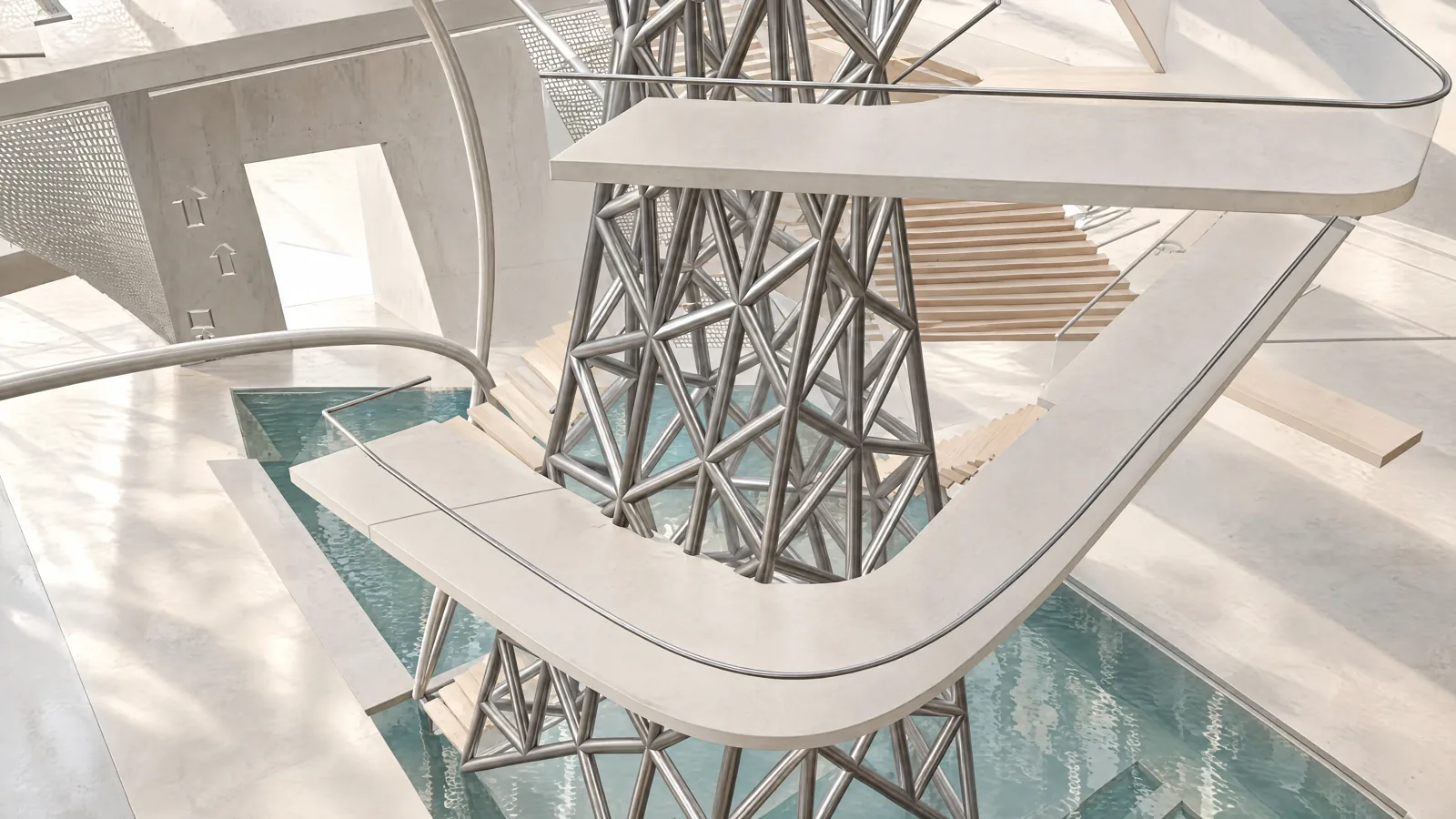
The Twist is my proposal for Marseille’s J1 hangar. The central vortex stair and water at its base are essential to the design. Early generated images changed the form or left out the stair, so I went back to the portfolio and Rhino file.
I exported the model geometry for the browser viewer. That gave visitors a way to examine the section itself. I developed the interior images separately, using them to explore lighting, materials and how people might use the spaces.
Before generating new views, I made a list of the features that had to remain: the stair, the water, the retained frame and the new central structure. I used that list when reviewing each image.
What the Rhino model provides
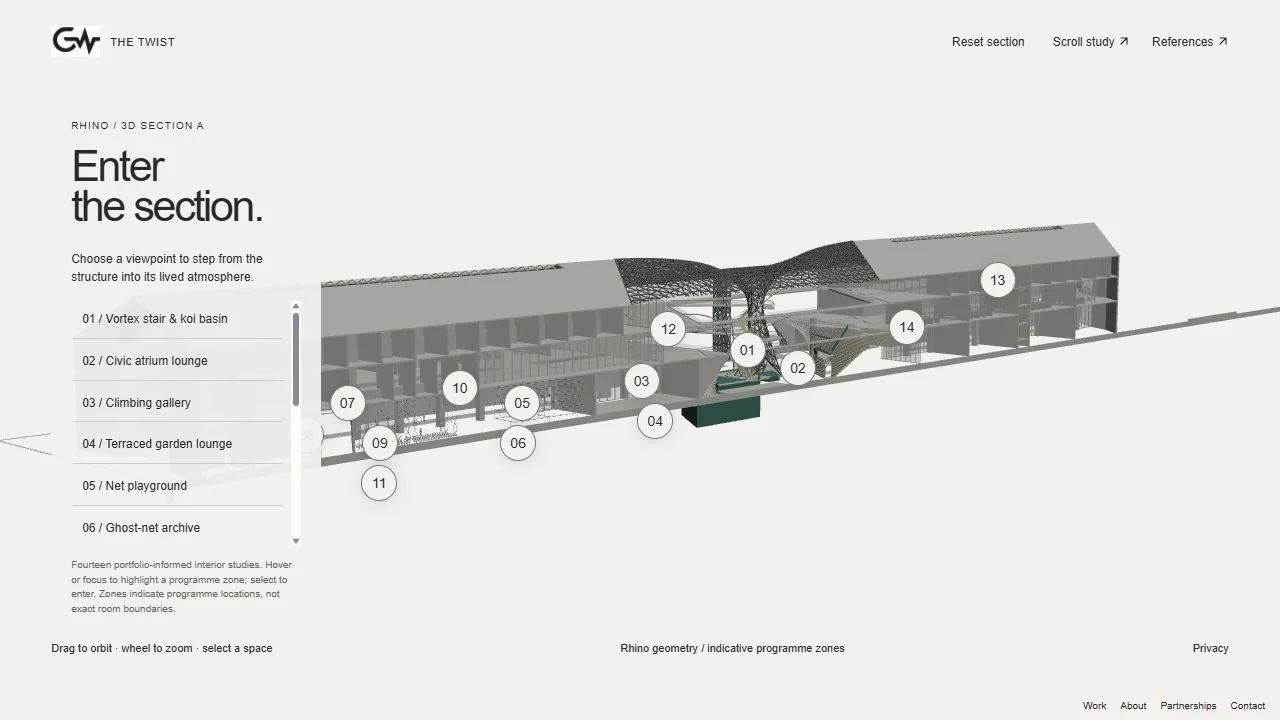
The web study starts with geometry exported from a sectioned Rhino model. It retains the central intervention, circulation and pond. The named view 3D Section A provides the starting camera for the interior explorer. Because the supplied model is sectioned, it cannot establish every part of the complete building.
| Material | What it helps you examine | Its limit |
|---|---|---|
| Exported Rhino geometry | Form, circulation and spatial relationships in the supplied section. | A partial design model, not proof of a completed building or a complete technical survey. |
| Generated images and films | Light, material, activity and the intended feeling of a space. | Interpretations that can introduce new details or change geometry. |
| Browser interaction | Orbiting, an exploded presentation and selecting interior viewpoints. | Presentation choices, not a construction sequence or measured room boundaries. |
For a new project, start with a short reference sheet: the model or drawings, a small set of dependable views and a list of features that must remain. For The Twist, that list includes the vortex stair, the water beneath it and the relationship between the retained frame and the new intervention.
Developing the interior images
I used Higgsfield to study things the model left unresolved: light on the stair, planting beside the water, furniture and people using the spaces. I compared each result with the portfolio renders and the section.
I checked whether the stair still led through the space, whether the water sat beneath it and whether the roof opening matched the central structure. If an image changed those relationships, it needed another pass.
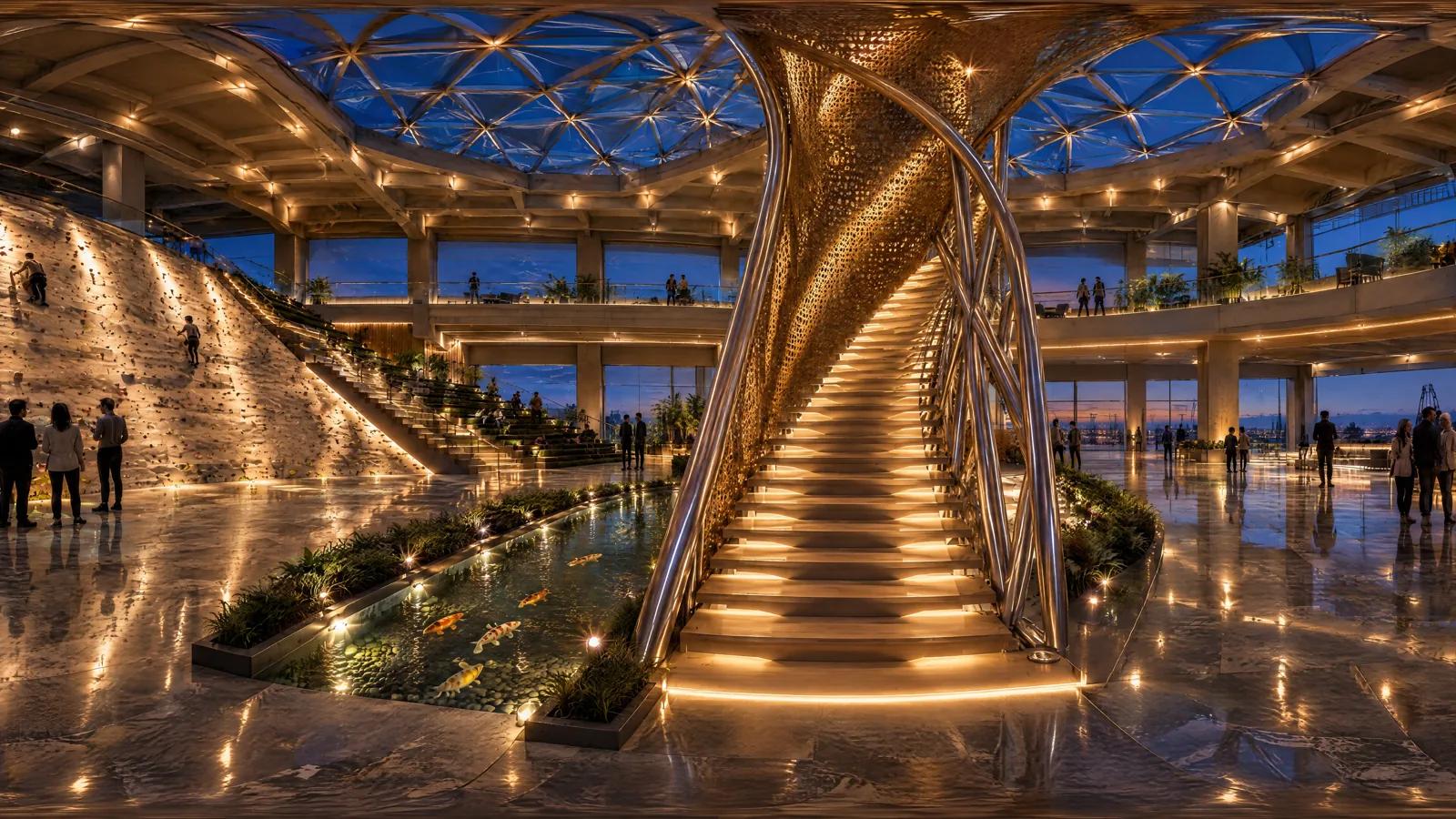
The interior explorer now has fourteen viewpoints. Select a space, pan and zoom its image, then return to the section. These are generated images, not freely navigable 3D rooms.
Building the interactions
In the geometry viewer, visitors can rotate the exported model or scroll through an exploded arrangement. Separating the layers makes the roof, stair, nets and water easier to examine. It is a presentation arrangement, not a construction sequence.
The section explorer opens an interior image when you select a programme zone. A back button returns you to the section so you can choose another space. The camera films provide a directed tour of the generated studies.
I reviewed the imagery against the model and tested the orbit, scroll, selection and return controls. I also kept earlier versions accessible while developing the new presentation.
Have a model you want to present?
Send the model or drawings you can share, key views, the design features that must remain and the question the experience should answer. Add the audience, intended platform, launch date, budget range and whether the work will appear in paid advertising. Rights to supplied assets and permission to show them need to be clear.
We can start with one space, one short film or one interactive scene. First we’ll agree the reference views, what needs to stay accurate and what the finished piece should do.
I work across architecture, animation, fashion and interactive experiences. Habari Shop connects animation to an explorable brand scene; Architecture Shirt carries architectural imagery into a garment presentation; The Lagosian Magazine extends editorial design into an interactive reading sequence.
Discuss a model, film or interactive experienceSources and tools
The Twist is a project by Gideon Wise. This process note draws on its portfolio, the supplied sectioned Rhino model and the website’s development. Rhino supplies the model reference; Three.js presents the geometry in the browser; Higgsfield supplies the generated visual studies. These tool credits do not imply sponsorship.
View the project · Browse Gideon’s project archive · Discuss a project